White Knight at a glance
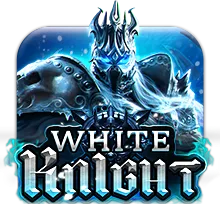
- A crowned frost knight in skull-carved armor is the arena's centerpiece target
- Icy blue art with drifting snow keeps targets easy to track
- Boss windows reward timing and a planned bet-per-shot
- Special targets and weapon effects listed in the game's info screen
Most fish tables are about volume: dozens of small targets, constant clearing, credits ticking up and down. White Knight is built around a single opponent. A crowned knight in frost-covered armor, eyes glowing blue behind his helm, dominates the arena, and the whole round bends toward the moment he arrives.
What you’re looking at
The art leans cold and severe. Snow streams across a deep blue background, the knight’s tall spiked crown catches the light, and a skull is carved into his massive shoulder plate. Pale frost trails off his armor like breath on a winter night. It’s a darker, heavier look than the bright reef tables in the lobby, and it suits players who prefer a serious boss fight to a cartoon aquarium.
Smaller creatures still drift across the screen, and they matter. They’re where your steady credits come from between boss appearances.
How a round unfolds
You control a cannon at the bottom of the screen. Before you fire, you set your bet-per-shot, which is what each shot costs. Hits on smaller targets pay modest amounts and keep your balance moving. Larger targets, and the frost knight above all, absorb many shots before they fall, but they carry the bigger payouts.
That trade-off is the whole game. Every credit you put into the boss is a credit you didn’t spend on easier targets, so the skill is in choosing when to switch. Special targets and weapon effects can show up during play. The game’s own info screen lists what each one does and what every target pays, so check it once before you start.
Playing the boss well
Build first, commit later
Spend the early part of a session at a low bet-per-shot on small and mid-sized targets. You learn the movement patterns, and you arrive at the boss fight with a cushion instead of your opening balance.
Set a boss cap
Decide before the round how many credits you’ll put into one attempt at the knight. If you hit that number and he’s still standing, step back to smaller targets. Chasing a boss because you’ve “already invested” is the fastest way to empty a session.
Watch, don’t spray
Firing wildly at a crowded screen wastes shots. Pick a lane, follow one target, and let the others pass.
Know your stopping point
Choose a session budget and a win target before you open the game. When you hit either one, cash out. A boss table like this can swing hard in both directions, and a plan made in advance beats a decision made mid-fight.
Getting into White Knight on Dragon Fury
- Create a free account at play.dragonfuryapp.com/register (18+ only) and verify your phone with the SMS code.
- Open your wallet and tap Deposit. Available methods, minimums and any fees are shown on screen, and our add money guide covers each step.
- Find White Knight in the lobby and tap Get Access. Your game login is created on the spot.
- Tap Cash In to move credits from your wallet into the game.
- Hit Play and take your first shots at the small fry.
When you’re done, Cash Out sends credits back to your wallet. For a fuller walkthrough of the app, see how to play on Dragon Fury, and for tactics that apply across every table, read our fish tables guide. If you like the cool colors but want a gentler centerpiece, Fantasy Unicorn trades the frost knight for a winged unicorn under a starry sky.