Thunder Dragon at a glance
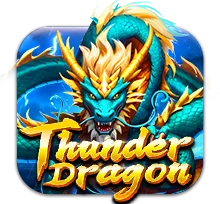
- A horned teal Chinese dragon with a golden mane is the headline target
- Electric-blue storm backdrop that keeps the screen bright and readable
- Bet per shot you can drop for small fish and raise for the dragon
- Every target's value is listed in the in-game info screen
A storm with a dragon at its center
Thunder Dragon is a fish table built around one image: a horned Chinese dragon in teal scales and a golden mane, snarling out of an electric-blue storm. Everything else on the screen, from small reef fish to bigger sea creatures, swims around that idea. If you like having one clear “big one” to aim for, this table makes the goal obvious from the first second.
The colors do practical work too. Teal and gold stand out against dark blue water, so the valuable targets are easy to pick out even when the screen fills up. That makes Thunder Dragon a comfortable choice on a phone, where fish can look small.
How a round plays
You control a cannon at the bottom of the screen. Tap or click where you want to fire, and each shot costs the bet you’ve set. A higher bet costs more per shot and pays more when a shot catches something. A lower bet stretches the same credits over a longer session.
Small fish fall quickly and pay small amounts. Larger creatures tend to take more hits and pay more. The dragon sits at the top of that ladder: it appears, crosses the table and soaks up a lot of fire before it goes down. Like most fish games, Thunder Dragon can also hand you special weapons during play. The game’s info screen lists which ones this version has and what every target pays, so open it once before your first round.
How it compares with our other dragon tables
We carry several dragon-themed fish games, and they don’t feel the same. Kirin Storm swaps the serpent for a fire-wreathed kirin. Dragon Storm uses a winged red western dragon. Monster Awaken Plus has a darker, deep-water sea dragon.
Thunder Dragon sits in the middle of that group: brighter than Monster Awaken Plus and more traditional in style than Dragon Storm. If you want a classic long-bodied dragon and a clean, readable screen, start here.
Tips for a Thunder Dragon session
- Warm up on the small fish. Spend your first few minutes at a low bet. You’ll learn the swim speeds and roughly how much fire the mid-size targets need.
- Pick your dragon moments. Firing a heavy bet at the boss the whole time it’s on screen burns through credits fast. Decide before it appears how much you’re willing to put toward it.
- Lead your shots. Dragons move in long curves. Aim a little ahead of the head rather than chasing the tail.
- Set a stop point. Choose a number for the session in both directions, a loss you’ll accept and a win you’d be happy with, and cash out when you reach either one.
Start playing Thunder Dragon on Dragon Fury
- Create a free account with a username, email, password and a phone number verified by text code. Players must be 18 or older.
- Open your wallet and tap Deposit. Our add money guide explains the methods and what you’ll see before you confirm.
- Find Thunder Dragon in the lobby and tap Get Access. Your game username and password appear right away.
- Use Cash In to move credits from your wallet into the game, then tap Play.
New to the controls? The how to play page walks through each screen, and our fish tables guide covers targets and bet sizing across every fish game in the lobby. When you’re done, Cash Out sends your credits back to the wallet.